
Introduction
Welcome to my post! If you’re a loyal reader welcome back! Today I will be talking about color and how it reflects and is represented through different digital mediums.
Reflected Color vs. Projected Color
The human eye is able to see and distinguish between 1 million – 10 million different colors. This varies per person, but that are still a lot of potential colors to be seen. The way color presents itself can also vary. On ink, we call that color to be reflected. Different colors of pigments are used, including magenta, cyan, yellow, and black. The other version is projected color, which is the color we see through the screens of our computers and phones.
Color in a digital image
For digital images, we are able to see color through pixels and bits. Pixel is short for Picture Element. It is what makes up every digital image. For each pixel square, only one color can be selected. Yet, each pixel has typically 8, 16, or 24 bits within it. This allows for a mix of red, blue, and yellow colors to make one solid color. This idea is called bit depth or color depth. The amount of bits represents how many shades of colors we see. The more bits the image is, the smoother the colors look. With 8 bits we can use 256 colors or crayons per se to draw within the pixel. Those 256 colors are called indexed colors, which is the maximum to manage digital images and make them easy to save and file. With all three primary colors combined, it allows for 2^8*3 which is equal to 16,777,216 true colors we can see.
Example of 8 bits (256 colors):
| 24 bpp | 16 bpp | 12 bpp |
10 bpp |
|
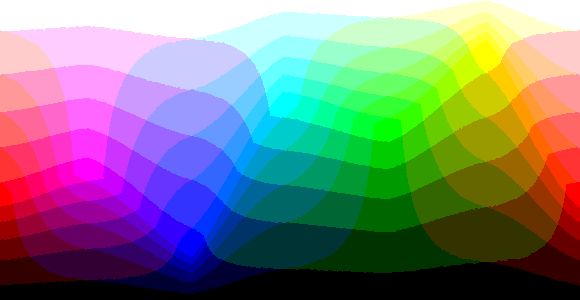
Example of 16 bits (65,536 colors):
| 24 bpp |
|
12 bpp | 10 bpp | 8 bpp |
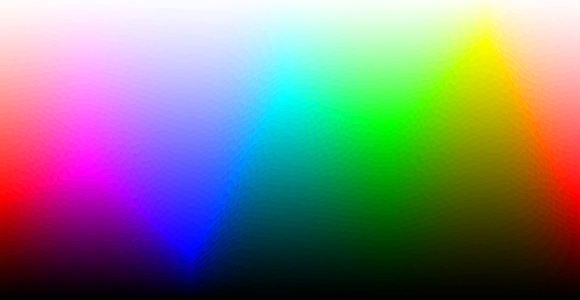
Example of 24 bits (16,777,216 colors):
|
16 bpp | 12 bpp | 10 bpp | 8 bpp |